CORPORATE DEVICES · CUSTOM AI · SERVERS

Custom Android devices, configured for the way your business works.

Give your team the devices and applications they need for the job. We configure Android handhelds and tablets with Vavus OS, translation, dictation, and your selected AI tools—and plan any servers they need.

Vavus AI and Concierge already run on our Android builds.

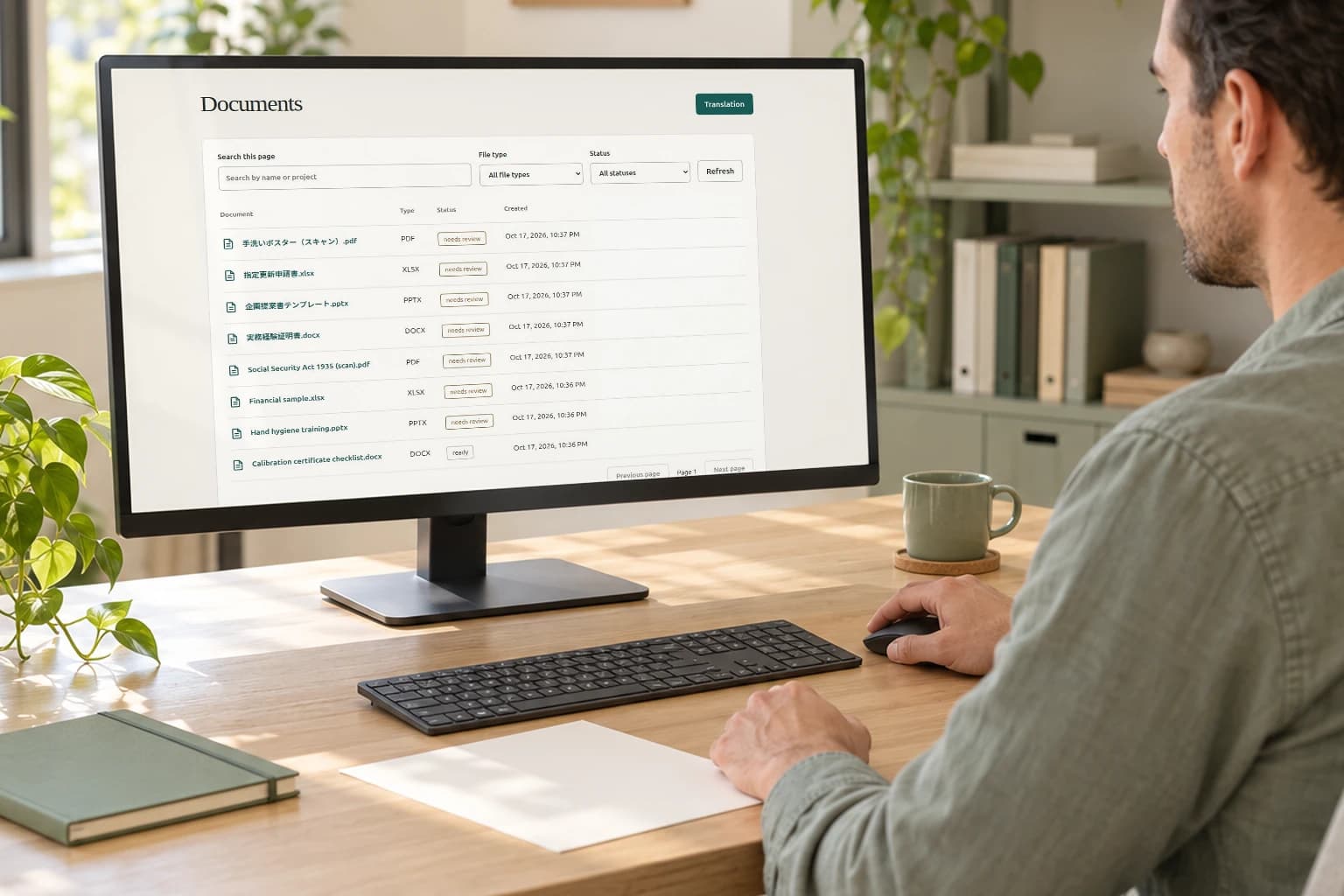
Illustrative hotel scene with an actual Vavus AI screen. Hardware is configured for your project.

WHAT WE PROVIDE

Choose the devices, software, and server setup.

01

Custom Android devices

Handhelds and tablets selected for screen size, battery life, audio, and where they will be used.

Explore Custom Android devices
02

Vavus OS

Our custom Android environment, with your branding and the applications staff or customers will use.

Explore Vavus OS
04

Custom servers

New servers for local AI processing, or connections to infrastructure you already operate.

Explore Custom servers

THE SOFTWARE

What people can do with a Vavus device.

A receptionist might translate a guest’s question. A technician might dictate a handover note. We select the applications and test them on the hardware your team will use.

Read about Vavus OS
01

Vavus AI

Translate speech or text, dictate notes, and use AI to prepare drafts for review.

See Vavus OS
02

Vavus Concierge

Answer questions about your services, opening hours, or procedures using information you provide.

Vavus Concierge
03

Custom AI workflows

Use your documents and report templates, or connect an assistant to a business system.

Custom AI

See the software

See the Vavus AI interface.

A guided look at the Vavus AI desktop interface. Device layouts are configured for each project.

Step 1 of 3

Recent activity and app shortcuts.

The dashboard brings recent sessions, activity and app shortcuts into one view.

Reduced motion is on. Choose each step above.

Request a quote
Actual Vavus AI interface · guided image tour
Desktop overview
Dashboard overview with recent sessions, activity and quick launch shortcuts. View full screenshot (opens in a new tab)

EXAMPLE USES

At reception or out on a job.

These are examples of device projects we can discuss with you.

AI-generated illustration of a tablet being used for assistance at clinic reception

Visitor directions and check-in.

Healthcare

The task
A visitor needs directions and check-in information in another language.
The setup
A shared tablet with translation and Concierge, using your facility information.
In use
Staff show visitors translated instructions and directions on the tablet.
Request a quote

Guest questions in another language.

Hospitality

The task
A guest asks about services and opening hours while reception handles arrivals.
The setup
A handheld with translation and Concierge, using your property information.
In use
Staff look up the answer and explain it in the guest’s language.
Request a quote
AI-generated illustration of a field worker consulting a tablet

Procedures and handover notes.

Field teams

The task
A field technician needs an approved procedure and a way to capture a handover note.
The setup
A work tablet with procedure documents, dictation, and the offline tools tested for that device.
In use
The technician reads the procedure and dictates a handover note on the same device.
Request a quote

AI-generated use-case illustrations; not customer deployments.

DEVICE SETUP

Specify how the device will be used.

Tell us whether people will carry the device, share it at a desk, or use it on site. We check the hardware against those conditions and the applications it needs to run.

Explore devices & customization

Screen, audio, and battery

Check screen size for shared use, microphone performance in the setting, and battery life under the expected workload.

Your Vavus OS

Choose the branding, applications, and terminology people see.

Your systems

Tell us which documents and systems the device needs to access. We review each connection before including it.

WHERE IT RUNS

Decide where processing happens.

Some functions can run on the device. Others need a local server or cloud service. The choice affects network access, capacity, and where data is sent.

Your devices

Vavus OS + your selected AI applications

Selected functions can run on-device.
When connected

Choose your processing environment

Your company server

A custom configuration or your existing infrastructure.

or

Hosted cloud

AI services reached over an internet connection.

The proposed setup identifies where each function runs, what data it uses, and which network connections it needs.

On the device

Run the installed offline functions without an internet connection. We confirm which languages and tools the hardware supports.

Explore on-device

Custom servers & on-premises

Run AI services on a server connected to your internal network. We can supply the setup or assess your existing infrastructure.

Explore custom servers

In the cloud

Connect devices to hosted AI services. Review providers, hosting location, and ongoing costs before rollout.

Explore cloud

WAYS TO BUY

Devices, software, or a complete installation.

Your quote lists the hardware, setup work, and ongoing service costs.

FROM REQUEST TO ROLLOUT

Send your requirements. We’ll quote the work.

  1. 01

    Requirements

    Describe who will use the devices, what they need to do, and your expected quantity.

  2. 02

    Configuration

    Review a proposal listing the hardware, applications, server work, and costs.

  3. 03

    Pilot

    Try sample devices with your staff. Check the tasks, languages, and conditions that matter before ordering more.

  4. 04

    Rollout

    Confirm quantities, delivery, setup instructions, and who will handle updates and support.

Sample costs and any credit toward a later order are stated in your quote.

See the pilot process

FOR DISTRIBUTORS & PARTNERS

Offer Vavus devices under your brand.

Choose the hardware and applications for your customers. We discuss branding, licensing, supply, and support responsibilities before you order.

Explore a partnership

Before you order.

What do we receive?

The proposal lists your devices, installed software, setup documentation, and any custom AI or server work. It also states quantities and the support and updates included.

Can we use hardware we already own?

Send us the model names. We test compatibility with Vavus OS and the applications you need before confirming that we can use them.

What already works?

Vavus AI and Concierge already run on our custom Android builds. Custom applications and server work are quoted for the requirements you send us.

Can you provide a custom server setup?

Yes. Send us the applications you need to run, expected concurrent use, and any existing infrastructure. We quote the server work with the devices or separately.

Can the devices work without internet?

Yes, for functions installed and tested for offline use. We list those functions and languages for your device. Calls, messaging, and external services still need a connection.

Can we try a device before rollout?

Tell us what you want to test. We quote the sample devices or pilot work needed, including any server setup.

How do we get a price?

Describe what you need through the inquiry form or by email. We review the request, clarify any missing details, and send a quote.

REQUEST A QUOTE

What should we build for your business?

Describe the job, the people using the devices, and your expected quantity. Include any hardware or systems you already use.

Request a quote

Cookie settings

Optional private statistics count page views, sent inquiries, manuals served, and countries. No visitor identifiers, advertising, recording of your session, or form contents are included.

Private statistics

Off

We save only your choice and its date in a first-party cookie for 180 days. Change your choice here at any time. Rejecting stops future collection; earlier combined totals cannot identify you.

You can browse, send an inquiry, and request translator activation without accepting optional statistics. External links open services with their own privacy choices.